
Kano Computer Kit build and review
Build your own computer and learn to code with this complete STEM kit – including step-by-step instructions and interactive coding challenges.
Score
Summary
The Kano Computer Kit offers children a unique opportunity to build their own computer and learn the basics of programming through hands-on experience.
Ideal for:
- ✓ Children interested in technology and computers
- ✓ Parents who want to encourage STEM education
- ✓ Schools and educational programs
Less suitable if:
- ✗ Very young children without reading or technical skills
- ✗ You're looking for a ready-made computer
- ✗ You don't have time for guidance with younger children
Product Overview
What is it:
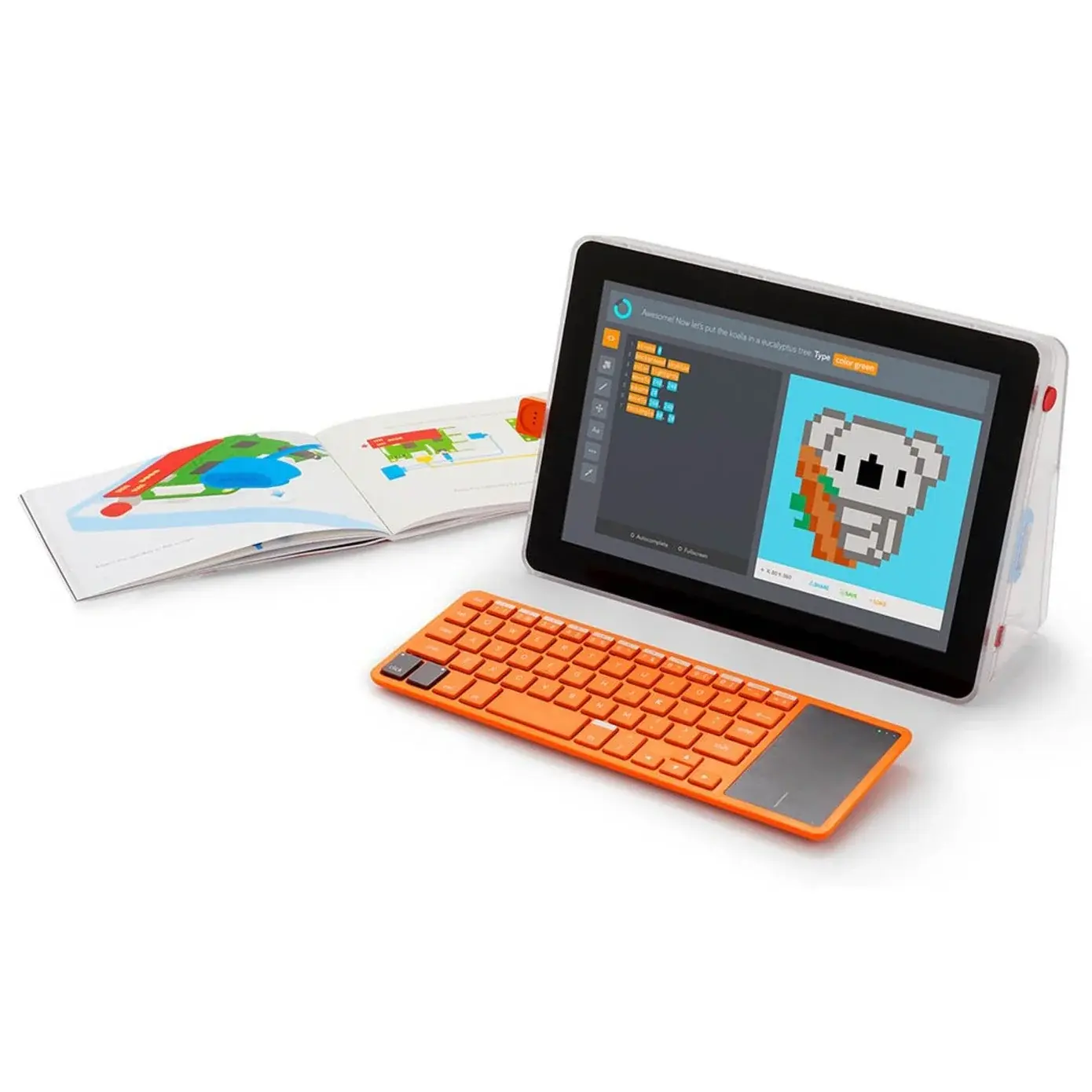
The Kano Computer Kit is an educational building set that lets children assemble their own computer. After building, they can learn to program with special software designed for beginners.
Why it was developed:
This product succeeds when it combines three points:
- Hands-on learning by building yourself
- Accessible introduction to programming
- Long-lasting educational value with growing challenges
Key conclusion: Younger children (6-8) will likely need help from a parent.
What's in the Box
Typical contents (always check your supplier's product page):
- Raspberry Pi-based motherboard
- Case and cables
- Keyboard (with some versions)
- Illustrated instruction book
- Pre-installed Kano OS software
Note: Contents may vary by version and region. Some versions require a separate screen.
Key Features
Building as a learning process
By assembling the computer themselves, children understand how parts work together. This demystifies technology and builds confidence.
Visual programming
The Kano software uses block-based coding, similar to Scratch. This makes programming accessible without having to learn text coding.
Progressive challenges
The software offers challenges that grow with the child's skills. From simple animations to more complex projects.
Open platform
After the basics, children can continue with Python and other languages. The kit grows with their development.
Full Description
The Kano Computer Kit is an educational STEM product designed for children ages 6 to 12. The central idea is simple but powerful: let children build and program their own computer.
The building process is carefully designed to be accessible. The illustrated book guides children step by step through the assembly. Parts click together without tools, making it safe and frustration-free.
After building, the computer boots up with Kano OS, a special operating system for education. Here children find coding challenges that start with simple block-based programming. They can make games, create art, and program stories.
The visual programming is similar to Scratch, the popular educational programming language. Children drag blocks to create commands, which stimulates logical thinking without the frustration of text coding.
As skills grow, the kit offers challenges in Python and other languages. This makes it a product with long-lasting educational value that grows with the child.
One consideration is that younger children (6-8 years) will likely need help from a parent or supervisor, especially when building and taking the first steps. Older children (9-12) can often work more independently.
You need a screen (TV or monitor) to use the computer. Some kits include a keyboard; other versions don't.
Build Quality & Safety
Durability:
Solid parts that can handle regular use. The Raspberry Pi board is industry standard and reliable.
Safety features for this age:
- No sharp parts or tools needed
- Low-voltage electronics
- Parts click together safely
Practical tip: Keep drinks away from electronic parts. Store small parts safely.
Learning & Development Value
Computer science
- Understanding how computers work
- Basics of hardware and software
Programming
- Logical thinking and sequencing
- Block-based and text coding
Problem solving
- Debugging code
- Iterative improvement
Creativity
- Inventing your own projects
- Making games and art
Pros & Cons
+ Pros
- ✓ Hands-on learning experience
- ✓ Accessible introduction to programming
- ✓ Grows with the child's skills
- ✓ High-quality educational content
- ✓ Open platform for further exploration
− Cons
- ✗ Younger children need guidance
- ✗ Separate screen required
- ✗ Higher price than simple toys
- ✗ Not suitable for passive entertainment
Who Should Buy This?
Buy if:
- Your child is interested in computers and technology
- You want to encourage STEM education
- You're willing to invest time in guidance
Not ideal if:
- Your child is still too young to read
- You're looking for ready-made entertainment
- You don't have a screen available
Frequently Asked Questions
Final Verdict
The Kano Computer Kit is an excellent choice for parents who want to introduce their children to the world of technology and programming. The combination of hands-on building and accessible coding makes it a valuable educational investment.
